Features
Everything JunkTrace does
Each tool, what it removes, and what it leaves alone.
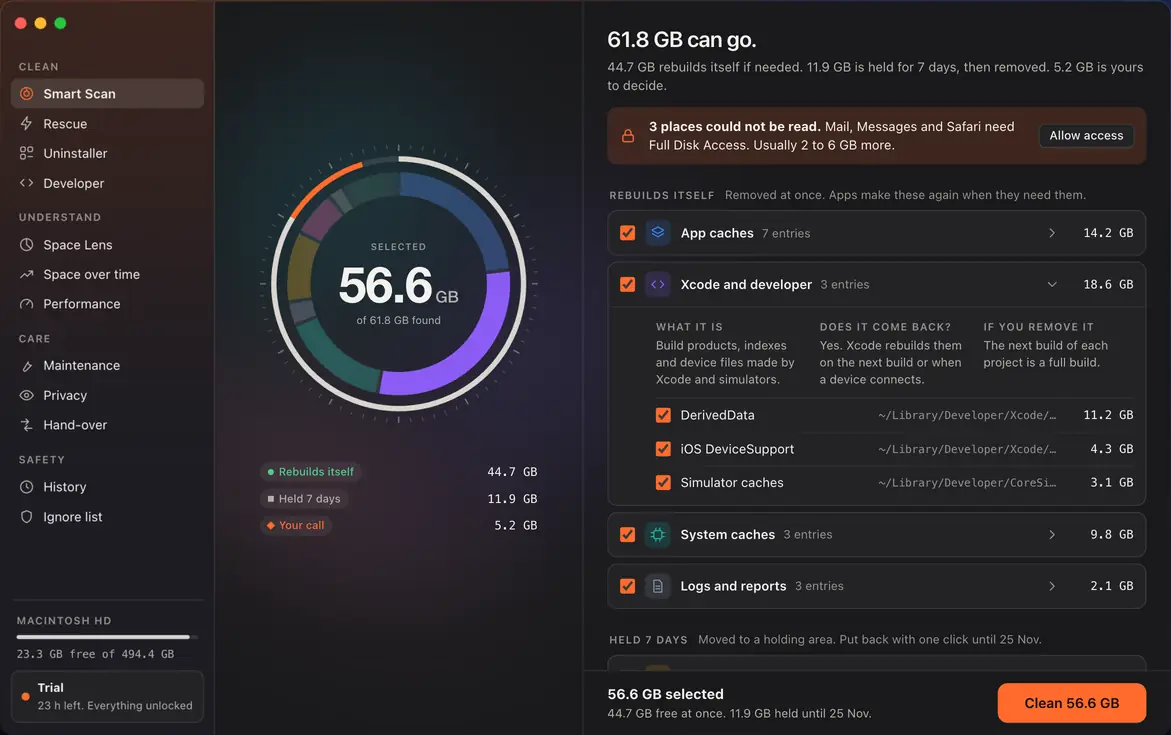
Smart Scan
One scan finds caches, logs, old installers, app leftovers and the Trash, and sorts them into three groups by what removing them costs you.
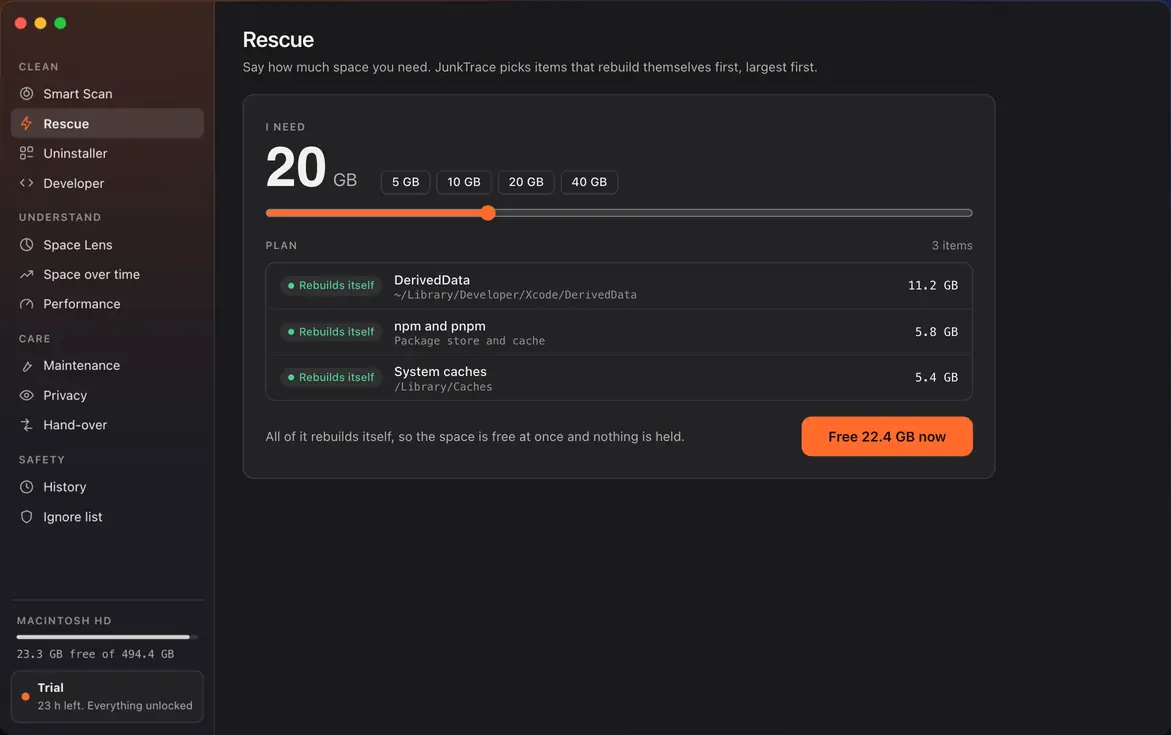
Rescue
For when the disk is nearly full. Say how much space you need; it picks items that rebuild themselves, largest first.
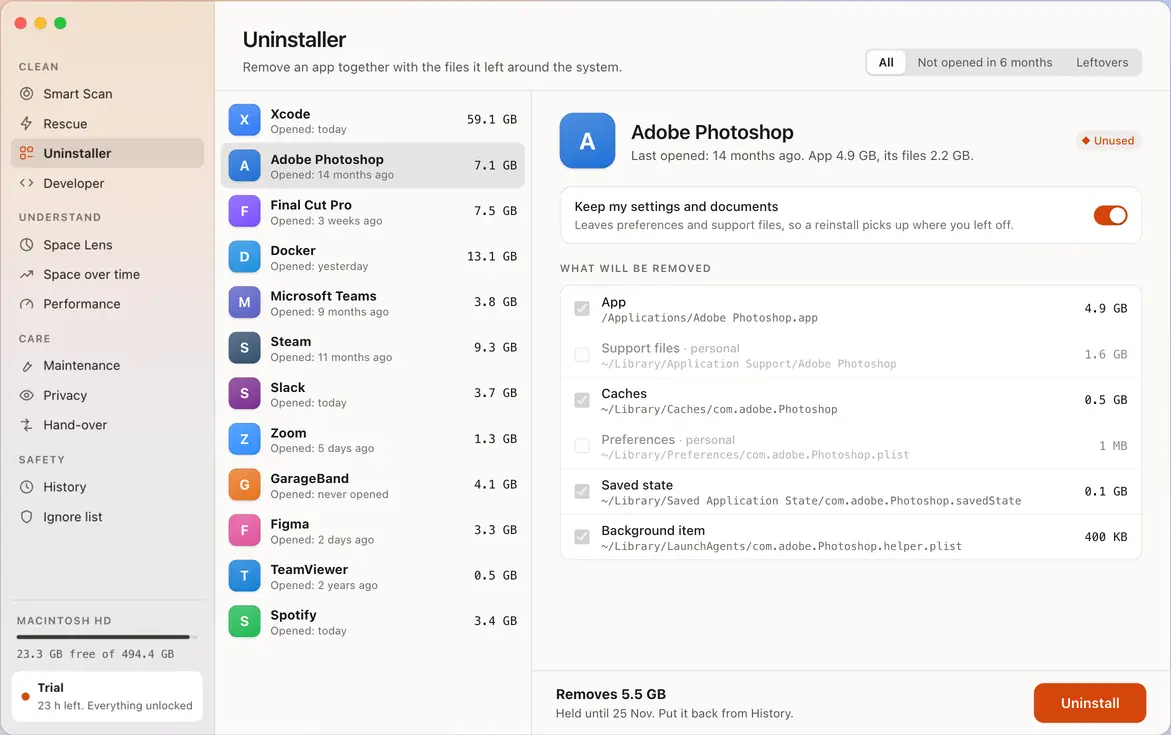
Uninstaller
Removes an app and the files it left elsewhere. You see each part before it goes.
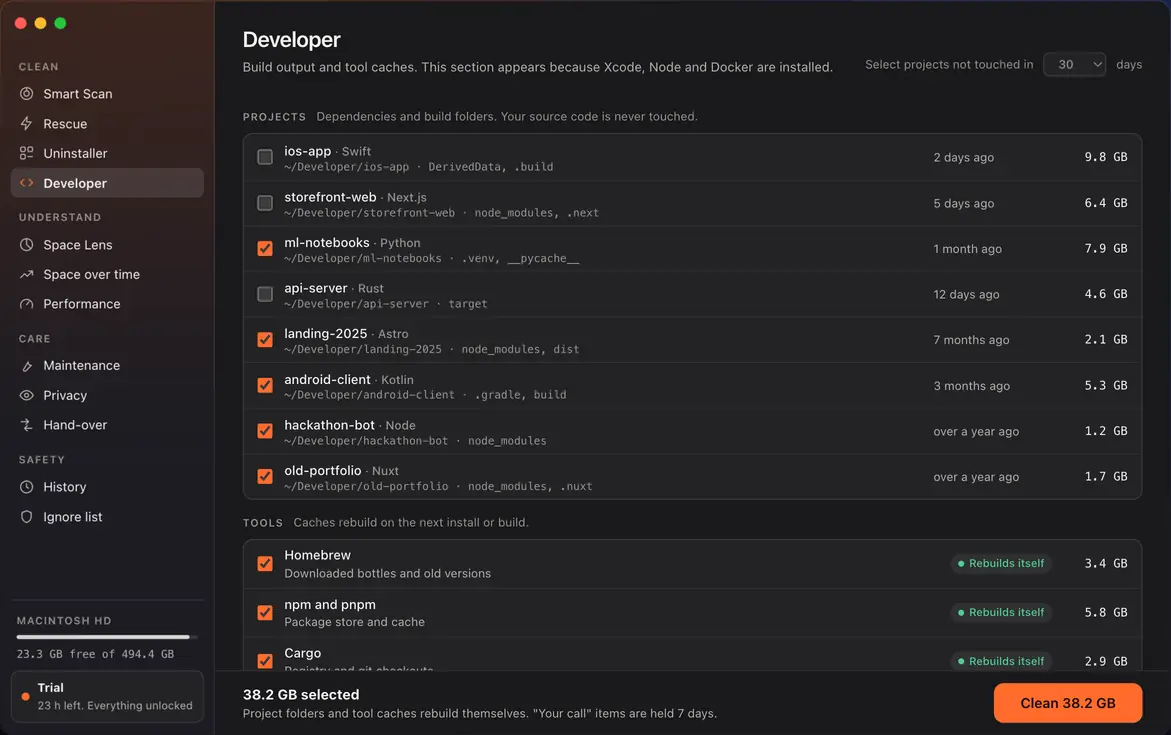
Developer
Dependencies and build folders from your projects, plus tool caches such as Homebrew, npm and Cargo. Your source code is never touched. Simulators, Docker images and AI models are listed but never selected for you.
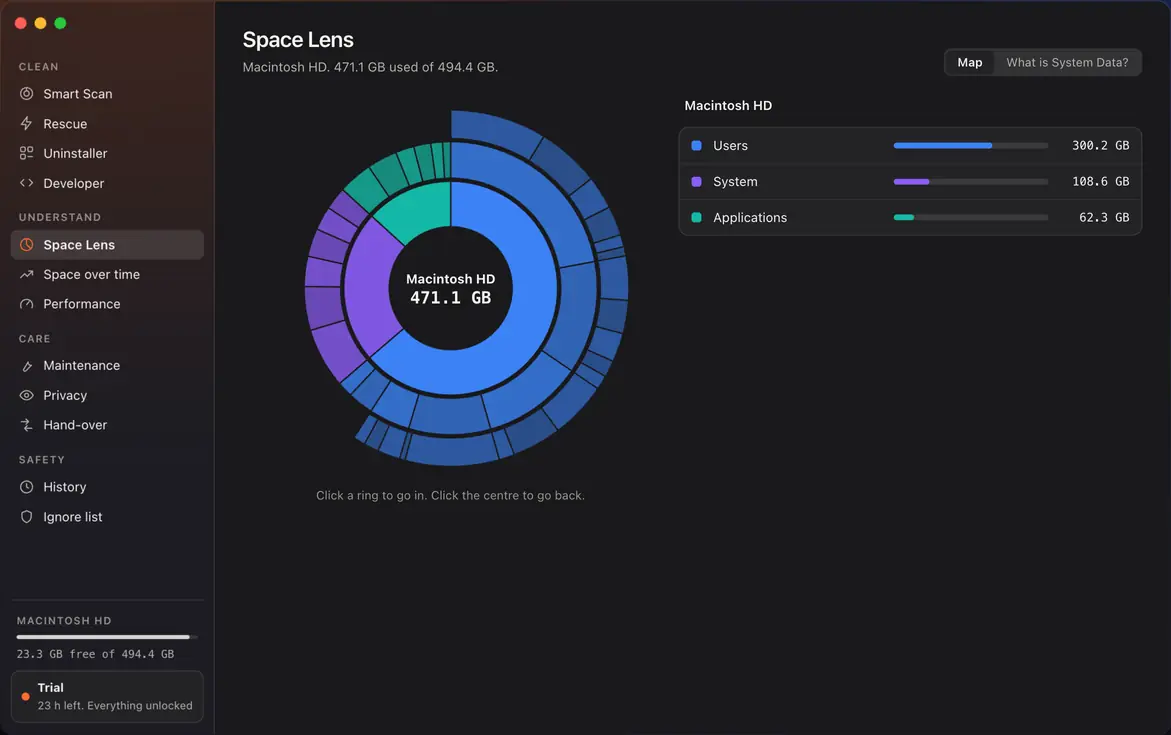
Space Lens
A map of the whole disk. Click a ring to go in, click the centre to go back.
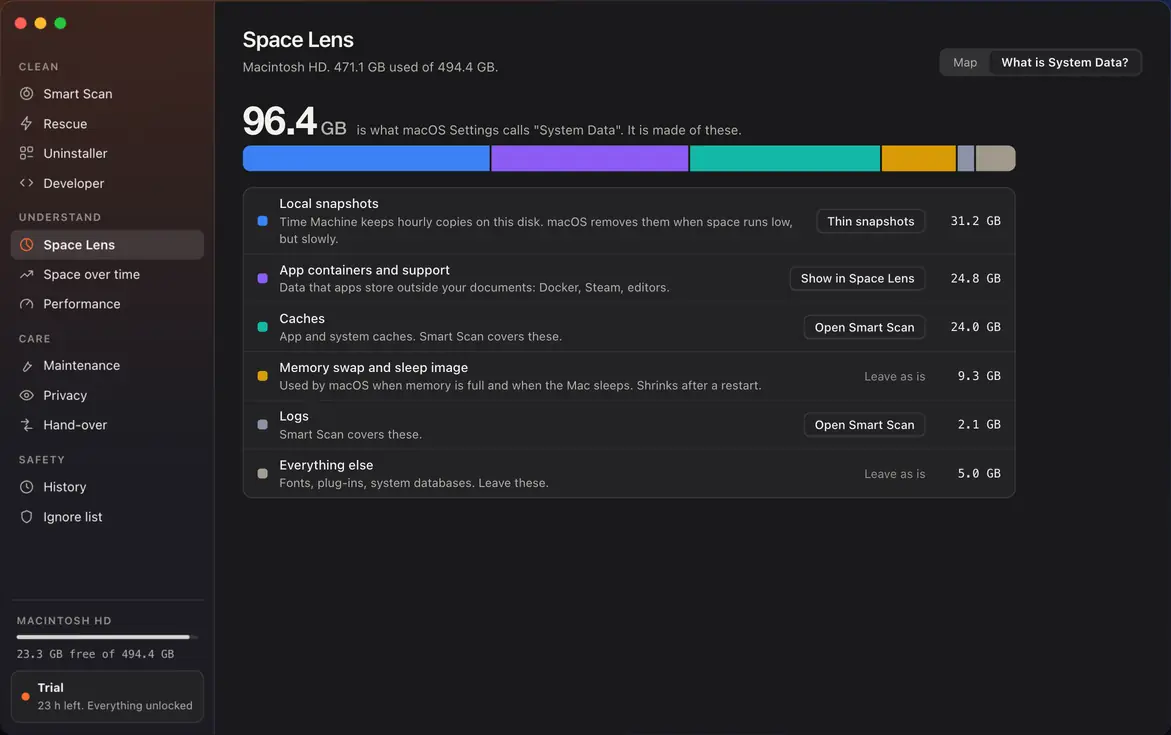
What is System Data?
Breaks the grey bar from Settings into its parts and says which ones are safe to clear.
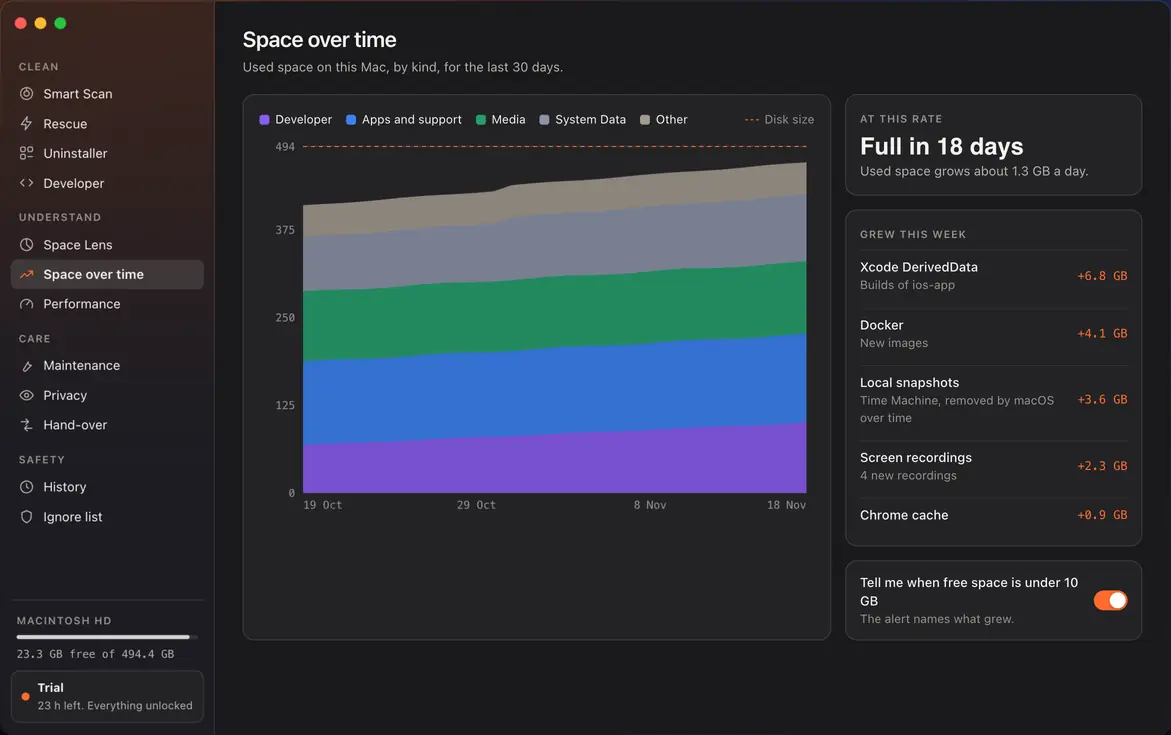
Space over time
Shows what grew and how fast, so a full disk does not arrive as a surprise.
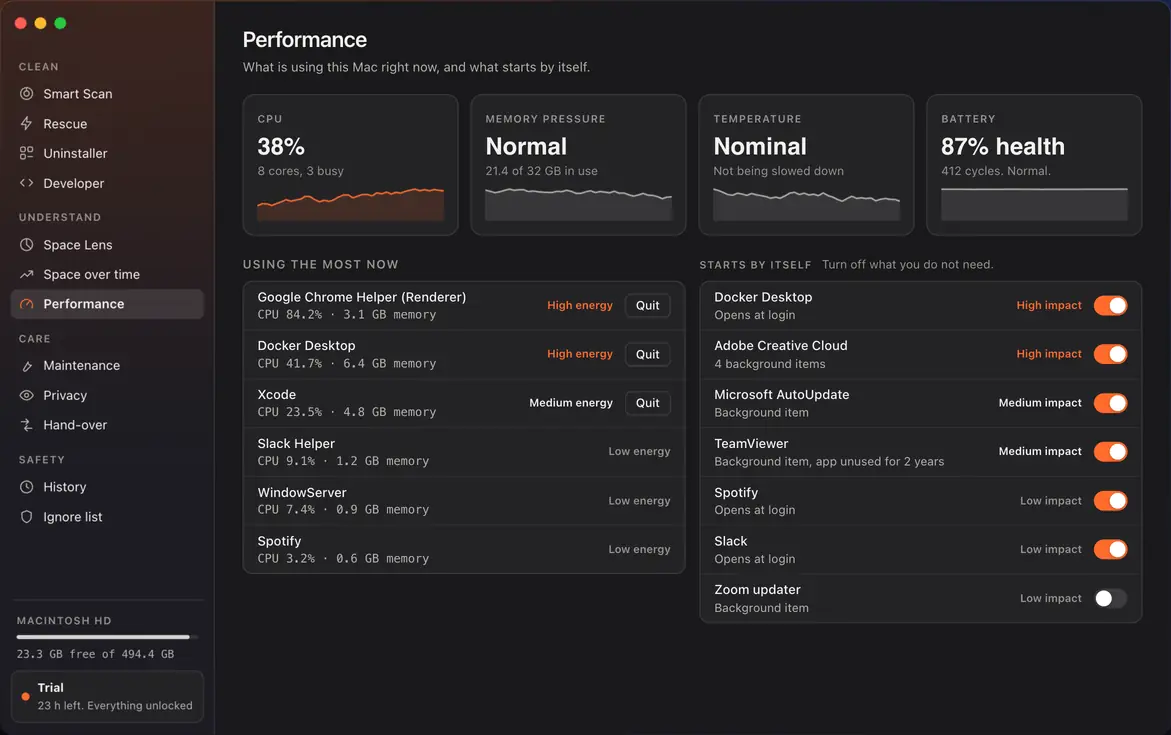
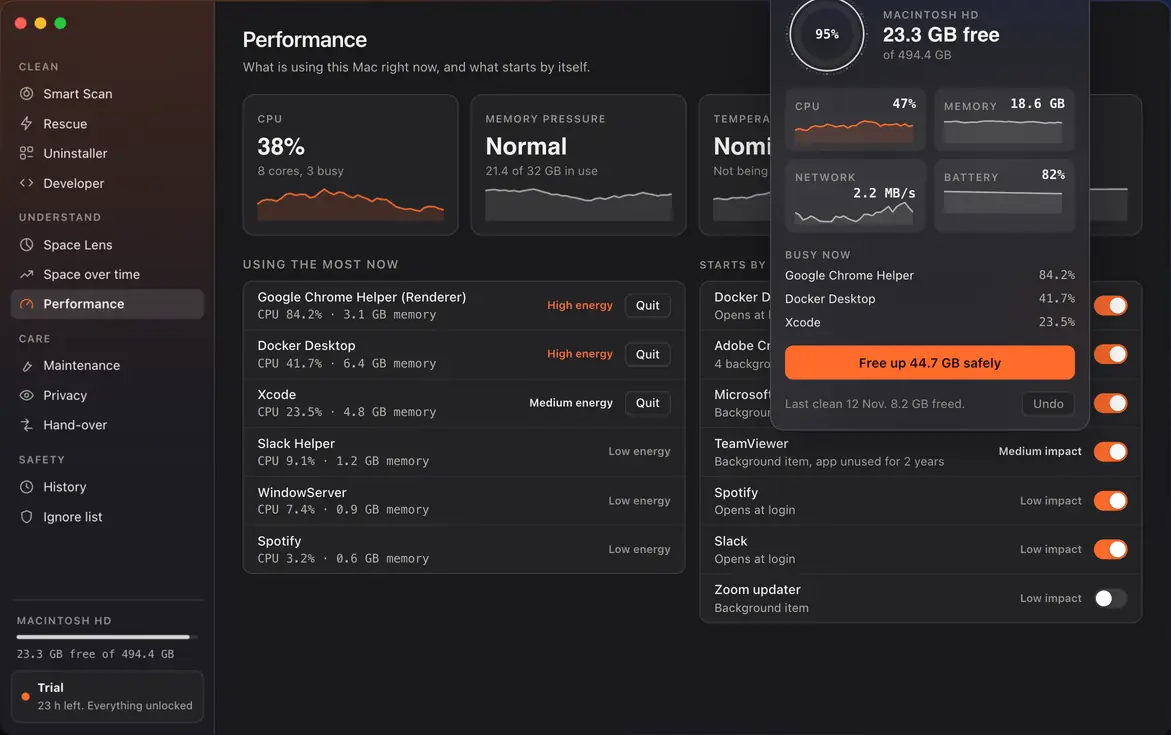
Performance
Processor, memory pressure, temperature and battery, the busiest apps, and what starts by itself.
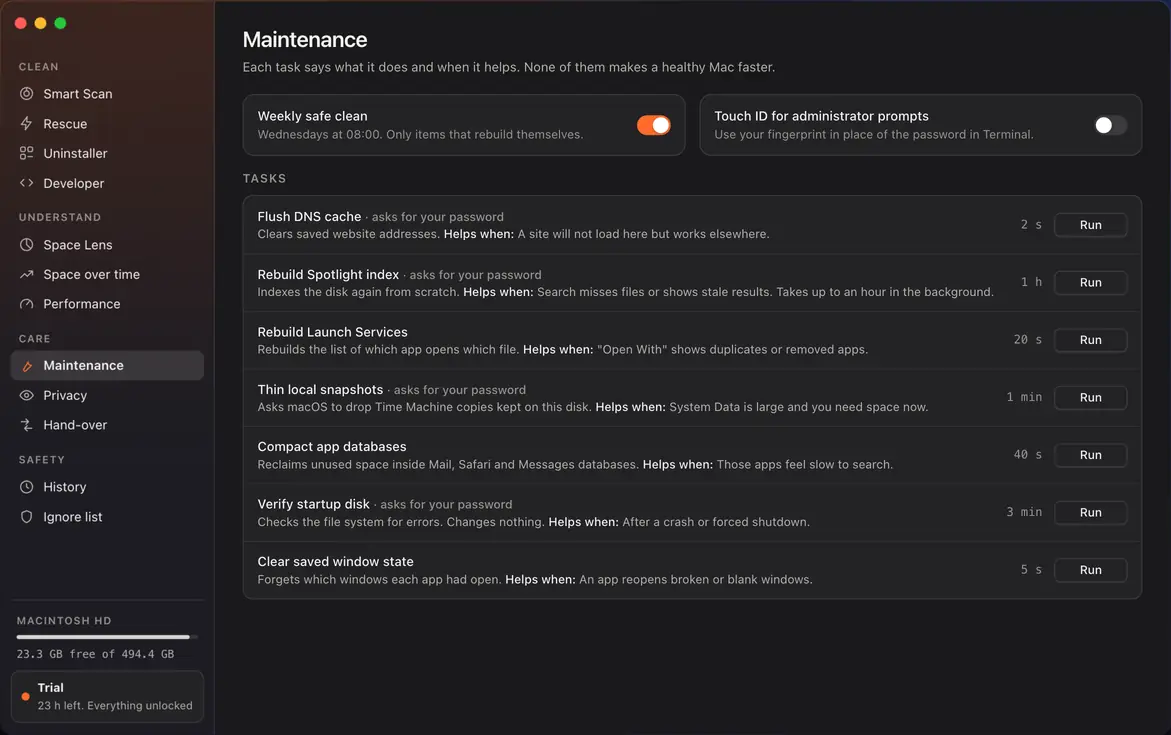
Maintenance
Tasks such as flushing the DNS cache or rebuilding the Spotlight index, each with when it helps. None of them makes a healthy Mac faster. A weekly safe clean is there if you turn it on.
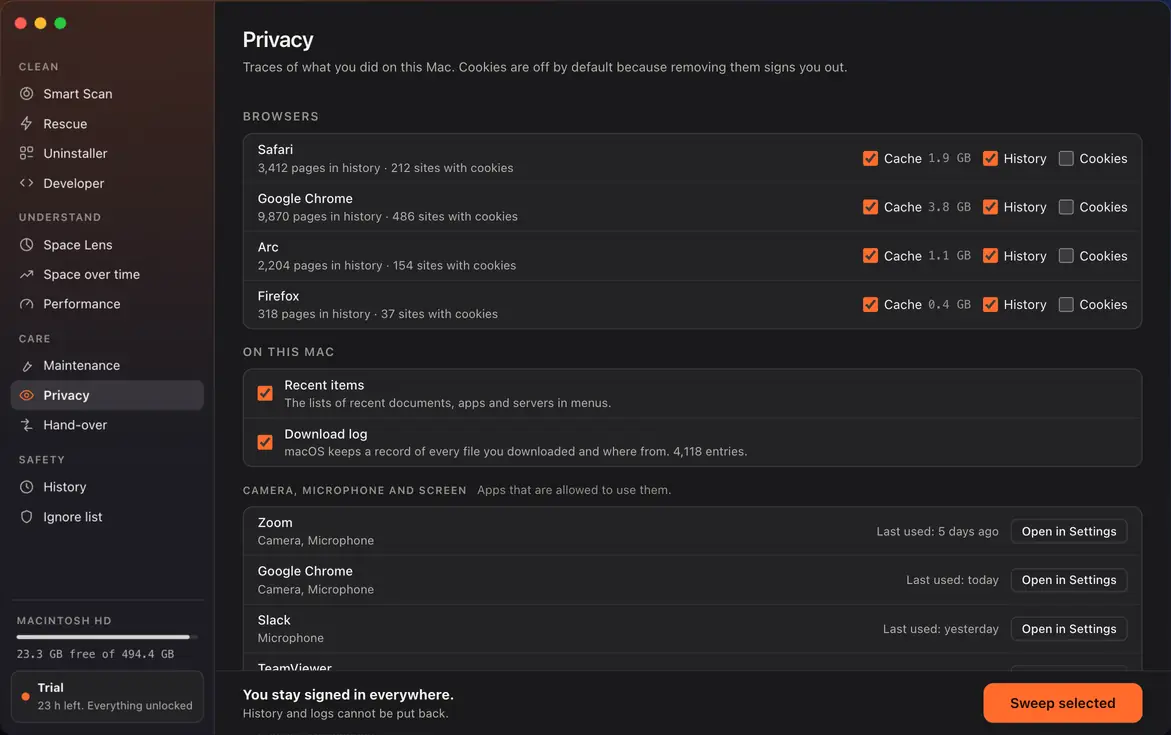
Privacy
Browser caches and history, recent-item lists and the download log. Cookies are off by default, so you stay signed in.
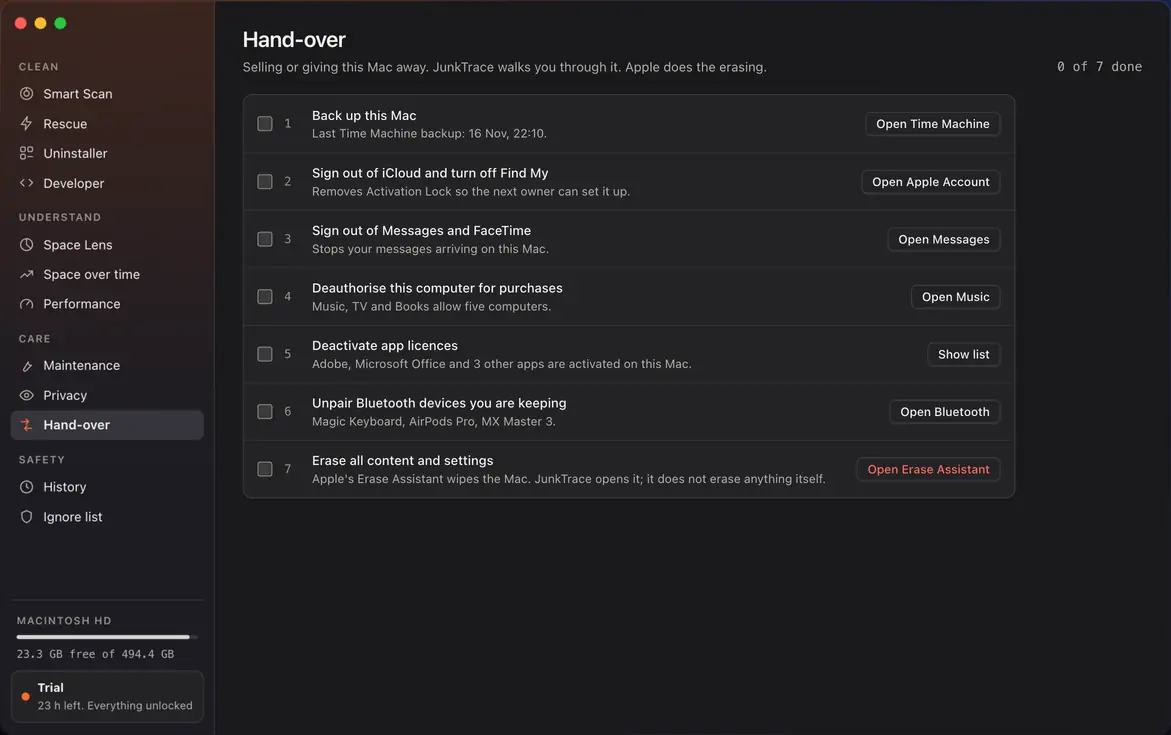
Hand-over
A checklist for selling or passing on your Mac: back up, sign out, then erase. Apple does the erasing.
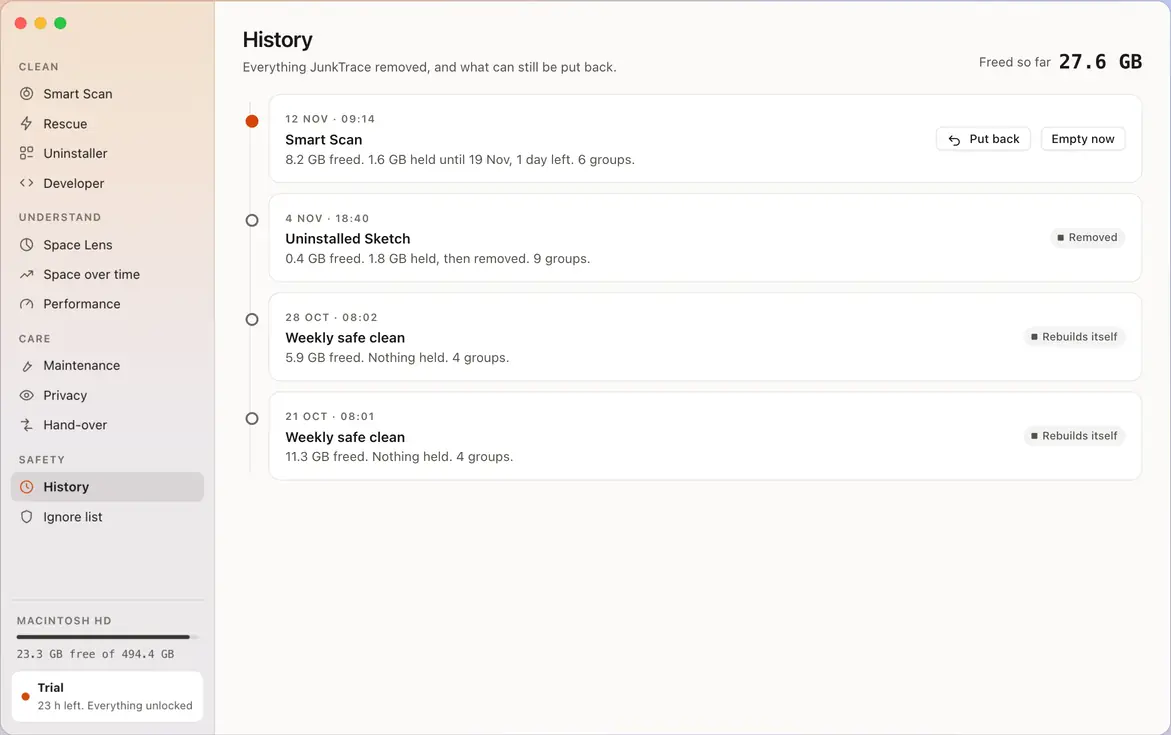
History and undo
Every clean is recorded. Held items can be put back for 7 days.
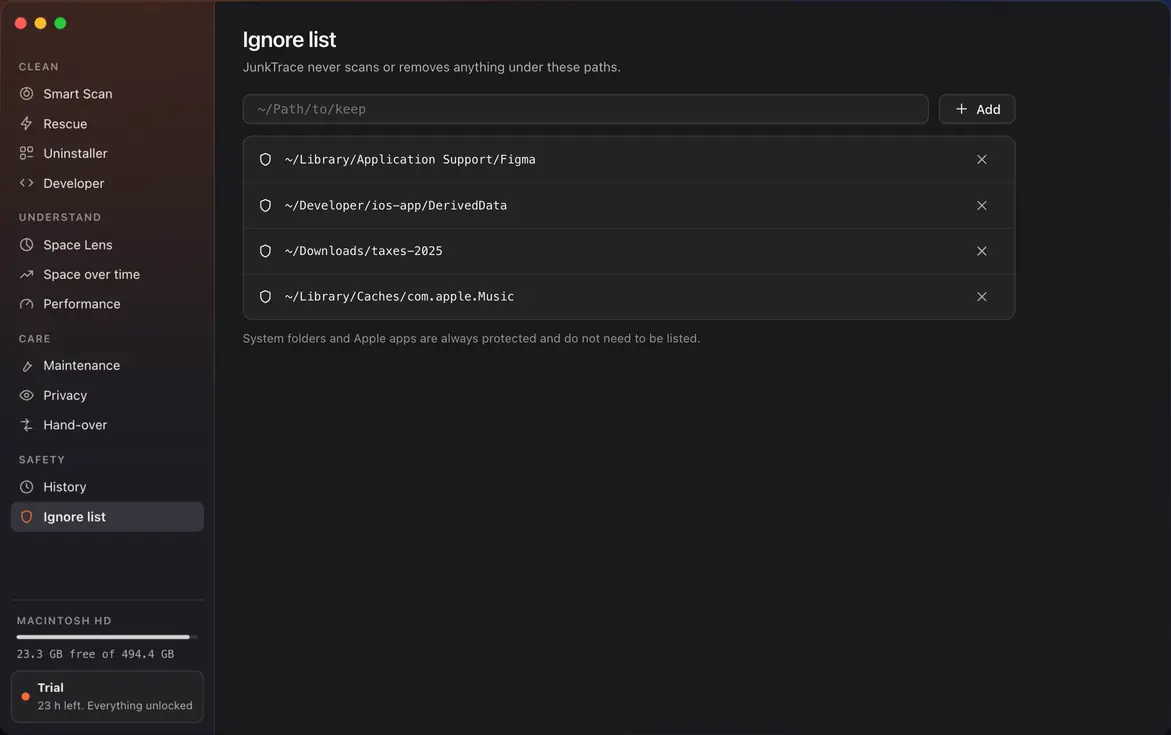
Ignore list
Tell JunkTrace what never to touch. It will not offer those items again.
Menu bar
Free space and vital signs, one click away.
Find out what is on your disk.
The scan is free and removes nothing.