Disk cleaner for Mac. Windows is coming.
See what fills your disk. Decide what goes.
JunkTrace scans your computer and sorts what it finds by how safe it is to remove. Risky things are held for 7 days, so you can put them back.
Free to scan. Cleaning comes with a free trial, then one payment. No account.
The problem
Your disk fills up with things you never chose to keep.
Caches
Apps store copies of things to open faster. They rebuild them when needed, and never clean up.
Leftovers
Remove an app and its support files stay. So do installers you opened once.
System Data
Settings shows one grey bar and no explanation.
- Local snapshots
- App containers
- Caches
- Swap and sleep
- Logs
- Everything else
How it works
Three groups. You always know what happens next.
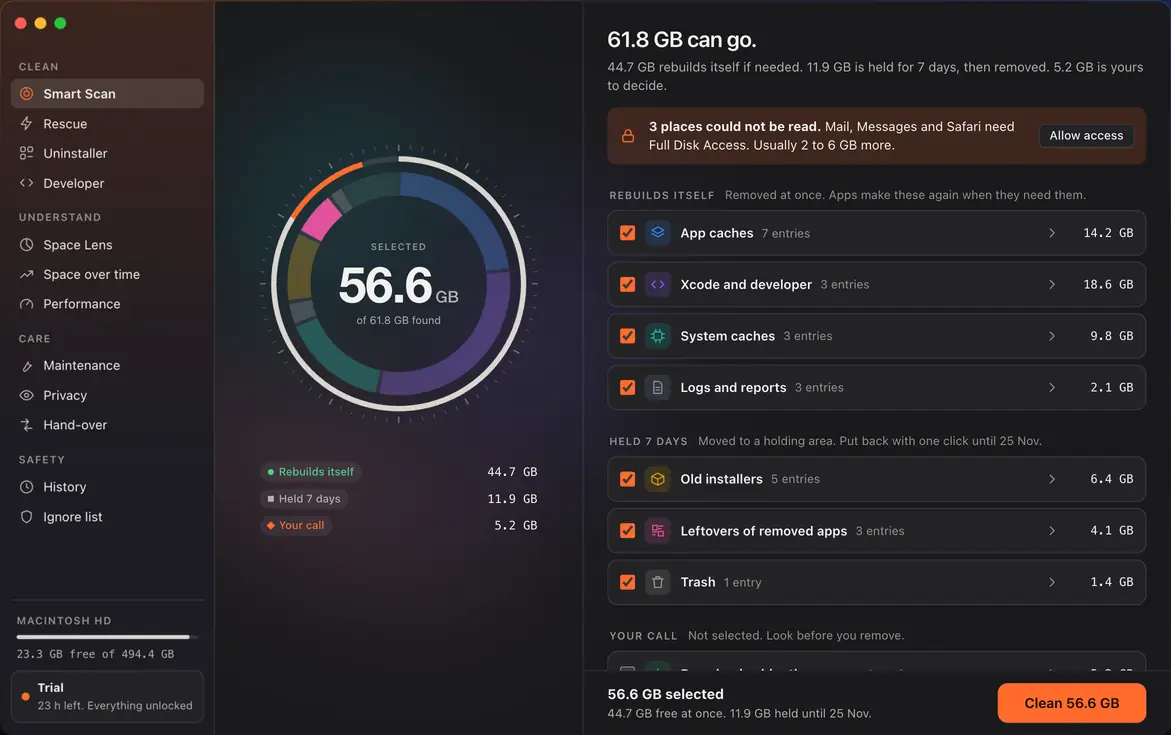
A scan sorts everything it finds by what removing it costs you.
Removed at once
Caches and logs. Apps make these again when they need them.
Rebuilds itselfMoved, not deleted
Old installers, leftovers and the Trash go to a holding area. Put them back with one click for 7 days.
Held 7 daysNever selected for you
Downloads and anything personal. Look first, then choose.
Your call
Nothing is removed until you press Clean.
Demo
A scan, start to finish.
This is a recording of sample data, not your computer.
1. Scan
The ring fills as the scan finds things. You can stop it at any time.
2. Review
Everything is sorted into three groups. Open any row to see every file.
3. Clean
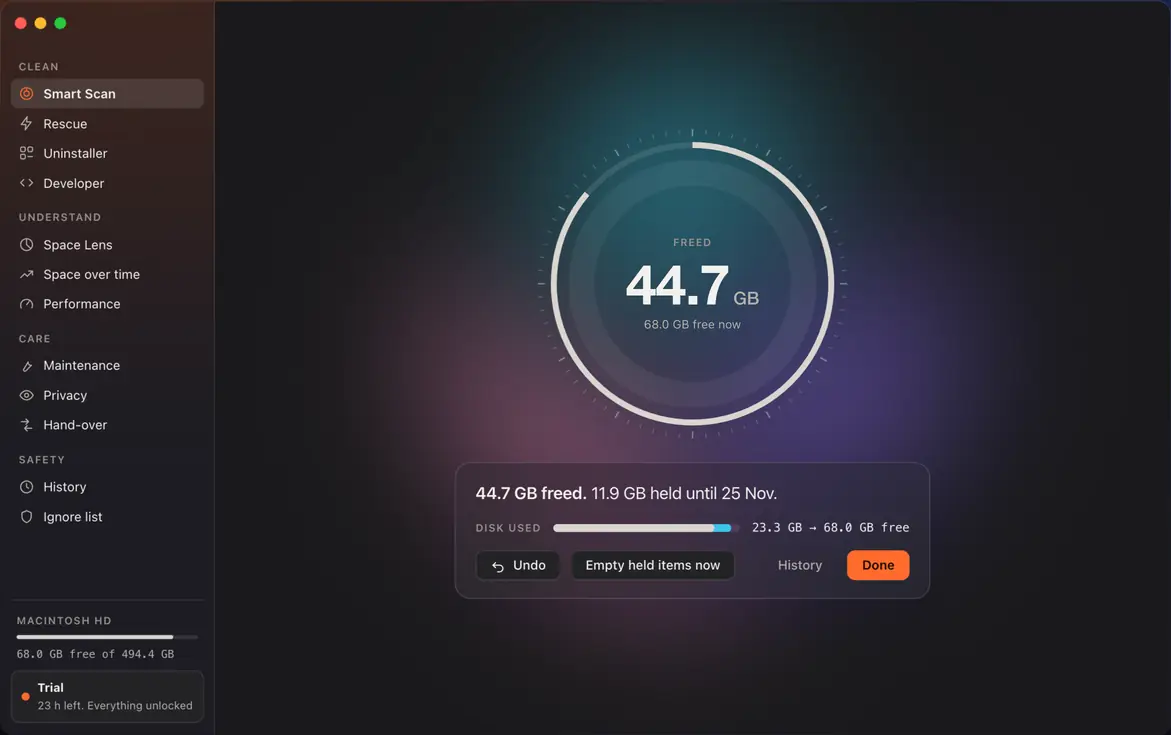
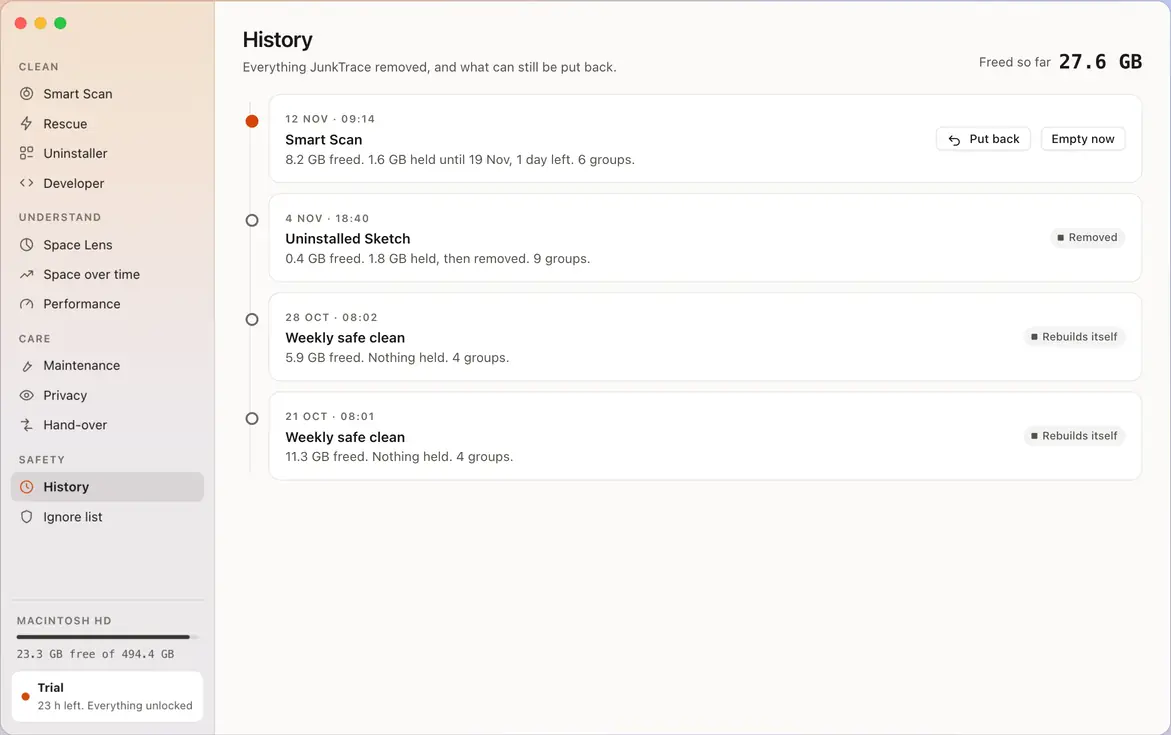
Cleaning shows what was freed and what is being held.
4. Undo
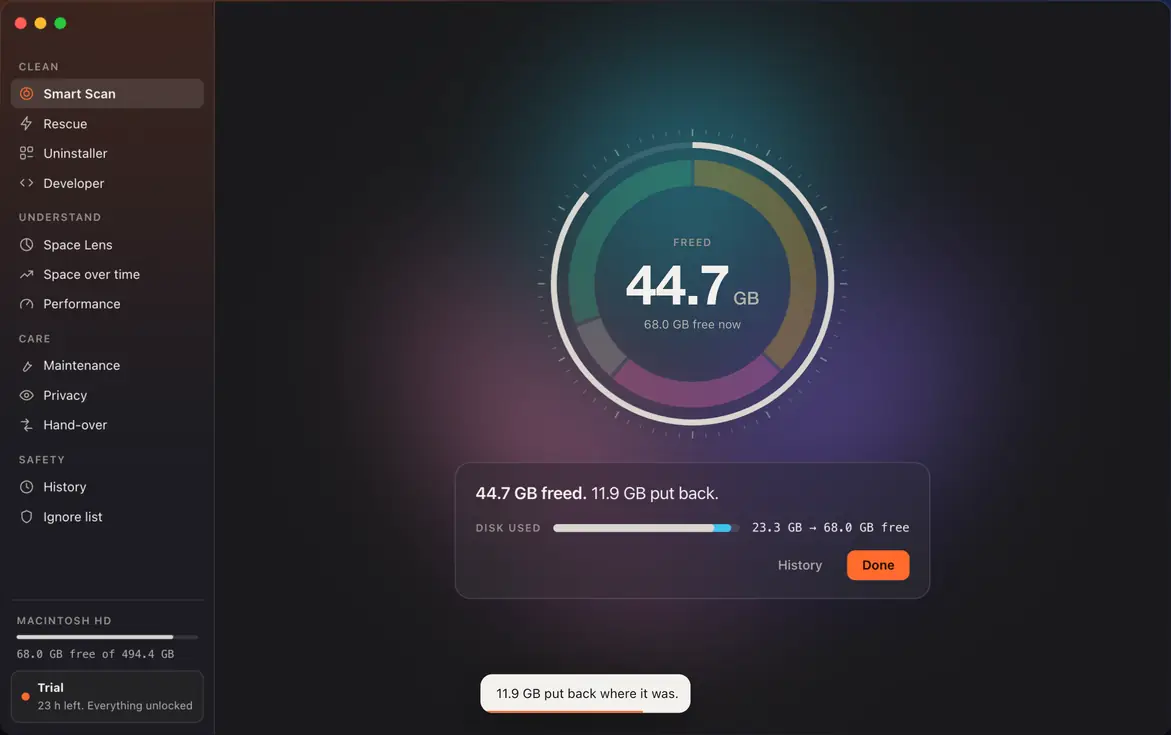
Changed your mind? Put held items back within 7 days.
5. Space Lens
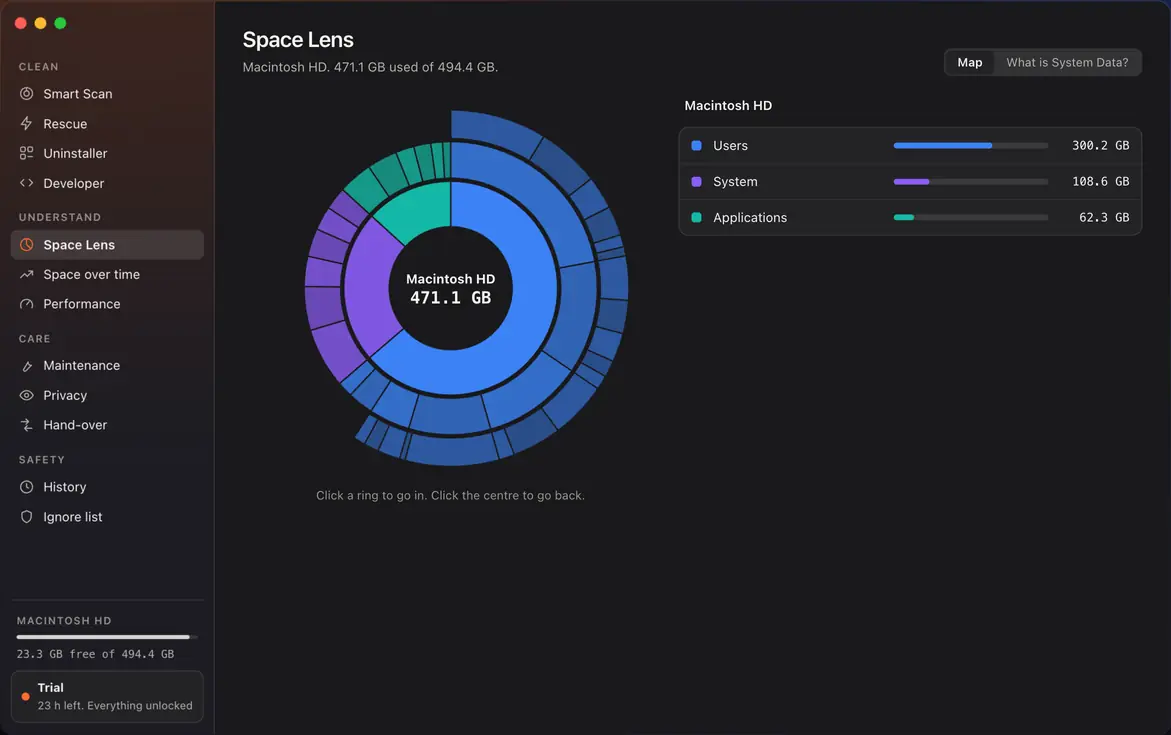
Space Lens maps the whole disk. Click a ring to go in.
Features
One app for the whole disk.
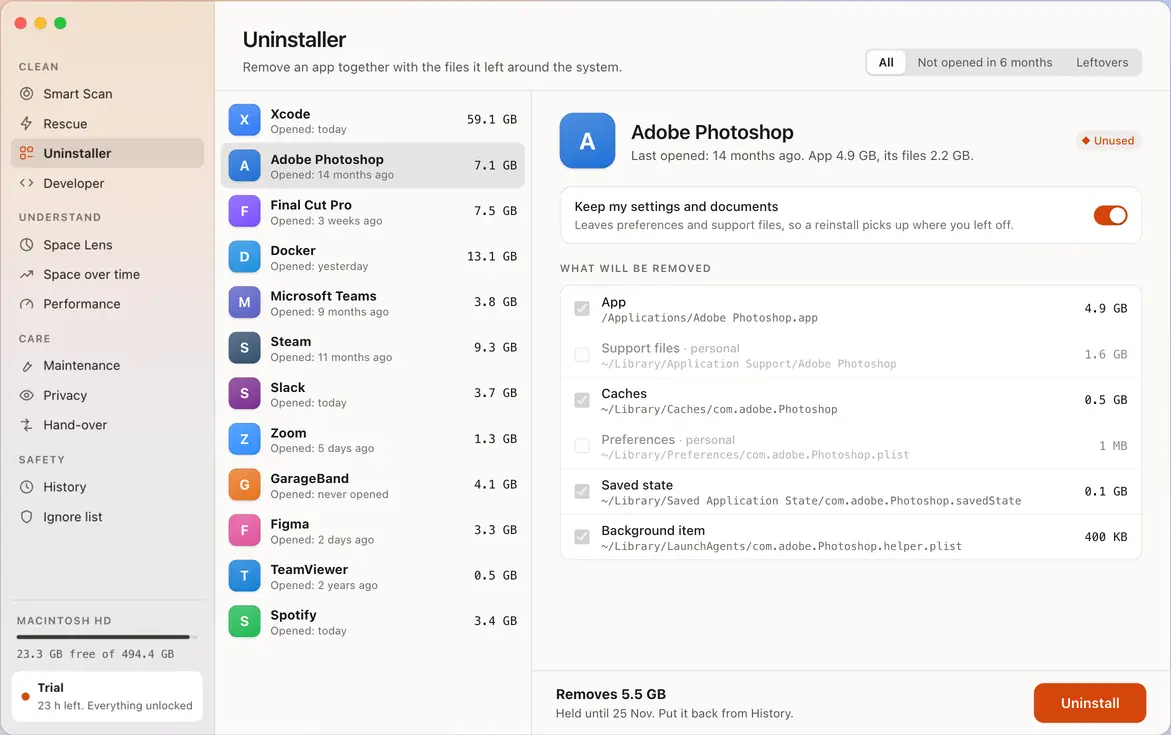
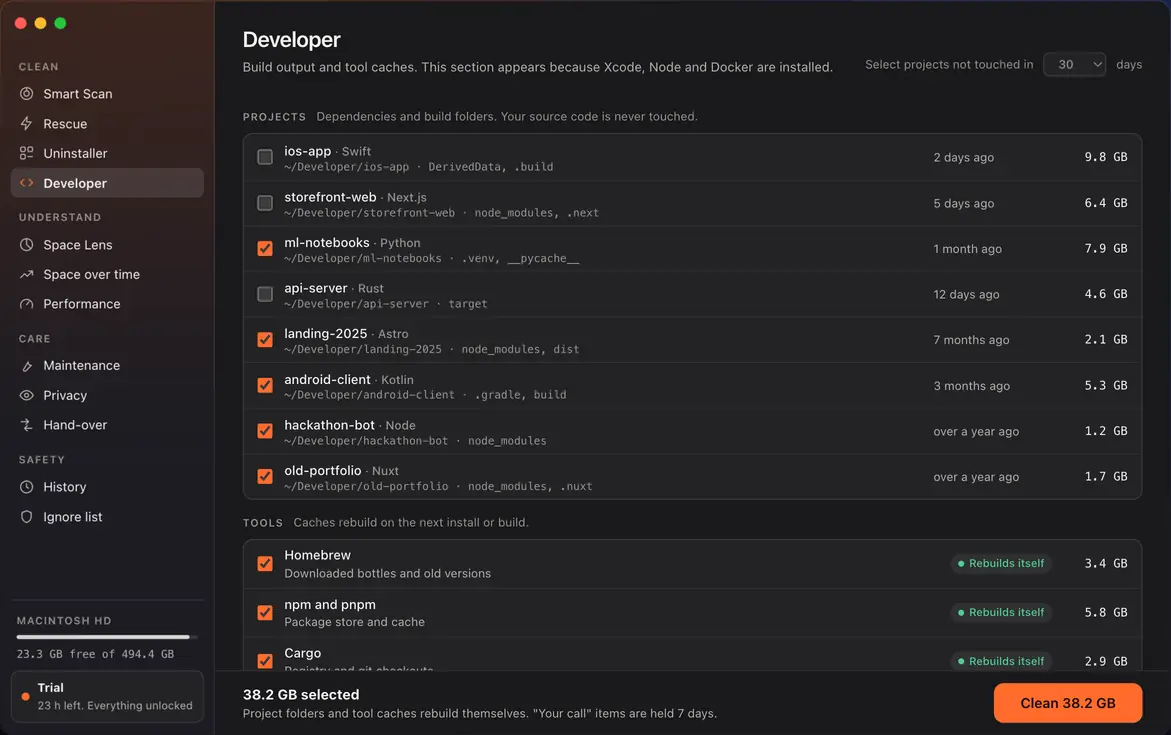
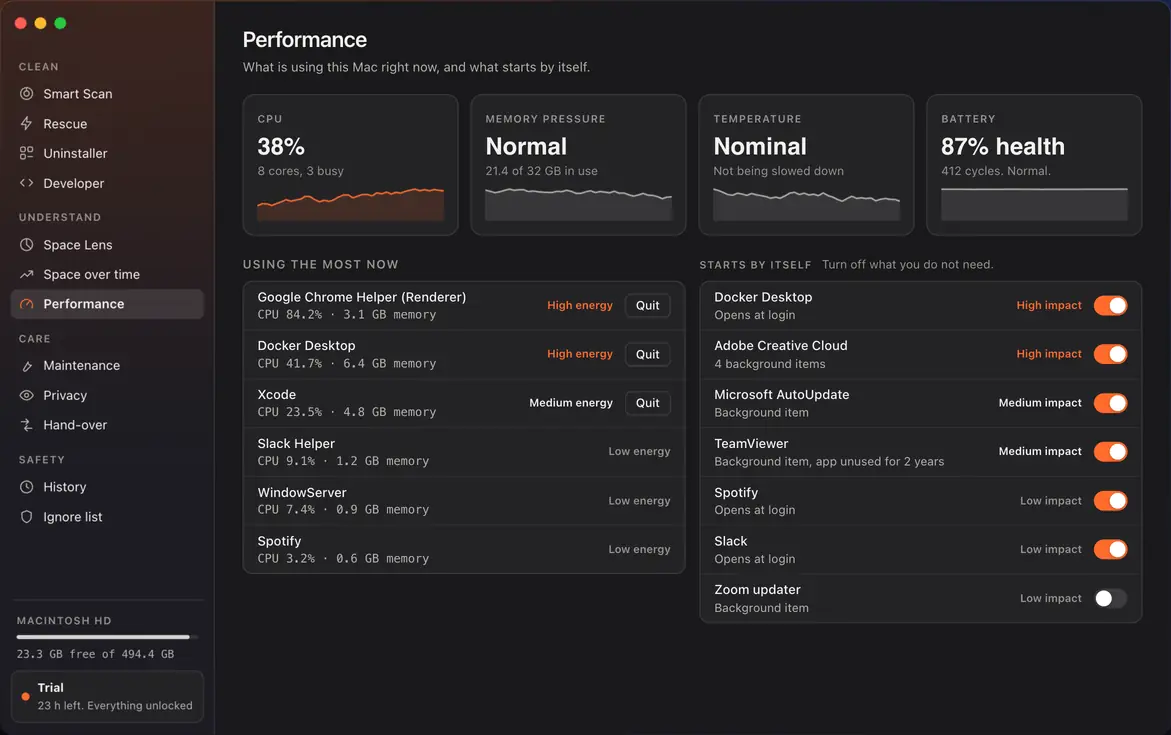
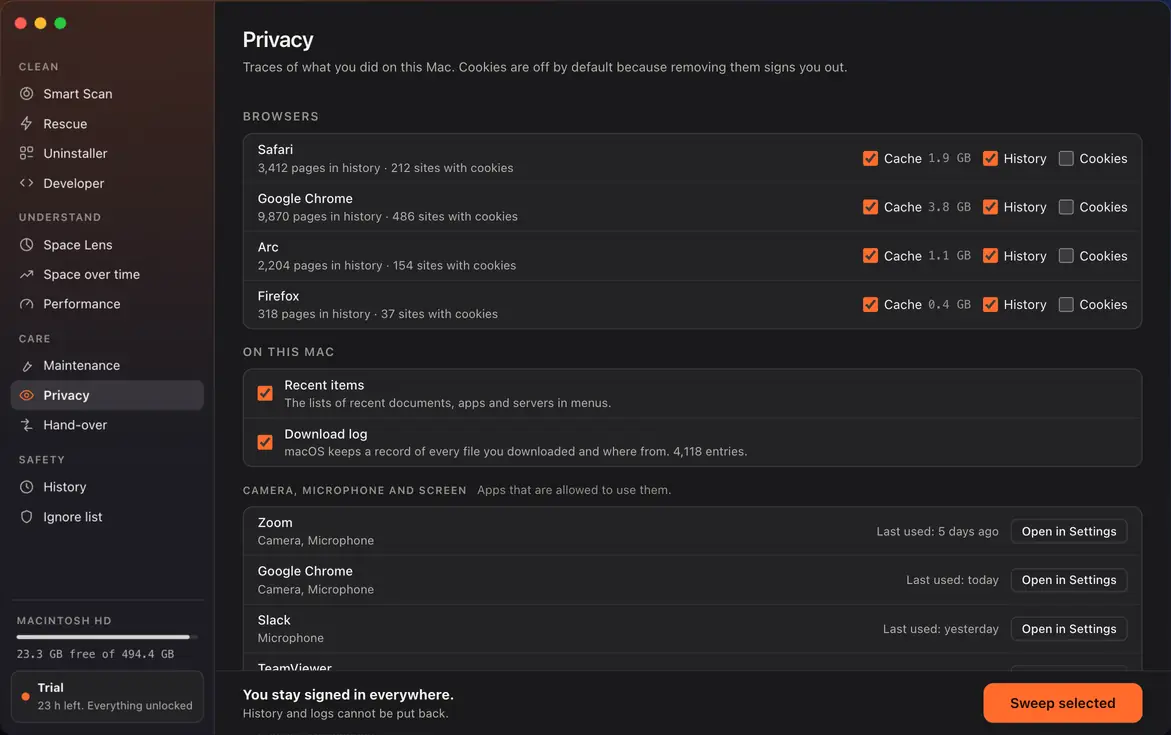
Privacy
Your files stay on your computer.
Scanning happens locally. Nothing JunkTrace finds is uploaded.
Local scanning
File names, paths and sizes are read on your computer and stay there.
Nothing about your files
The app talks only to our servers: to check your licence, get the current price, update its cleaning rules and look for app updates. None of it includes your files, their names or their paths.
Open source
The code is public under GPL-3.0. You can read what it does or build it yourself.
Pricing
Pay once. Keep it.
$19 once
Works on 2 Macs. Every 1.x update. 14-day refund.
- Clean with 7-day undo
- Uninstaller
- Rescue
- Developer cleanup
- Maintenance and weekly safe clean
- Privacy sweep
No subscription. No account.
Scanning, Space Lens and the review list are always free. After the free trial, cleaning needs Pro.
Questions
Can it delete something I need?
Things that are hard to replace are never selected for you. Most of what you remove is held for 7 days and can be put back with one click. Caches and logs are removed at once, because apps rebuild them.
What does “held 7 days” mean?
The files move to a holding area on your disk. They still take space until the 7 days pass or you empty them yourself.
Does JunkTrace send my files anywhere?
No. Scanning happens on your computer. The app contacts our servers only to check your licence, get the current price, update its cleaning rules and look for app updates. None of that includes your files, their names or their paths.
What is free and what is paid?
Scanning and seeing what takes space are always free. Cleaning is included in the free trial; after it, cleaning needs Pro, which is one payment of $19 for 2 Macs.
Is it a subscription?
No. You pay once. There is no account to create.
It is open source. Why pay?
The code is free to read and build under GPL-3.0. Paying gets you the signed app, automatic updates and support.
Can I get a refund?
Yes, within 14 days of buying. Write to support@junktrace.app.
Which computers does it run on?
Macs today. A Windows version is being built.
Find out what is on your disk.
The scan is free and removes nothing.